100% On-Device AI

Voice notes.
Pure privacy.

Record meetings and personal notes. PureNote transcribes your voice and generates AI summaries on your iPhone or iPad — on-device, with support for 4+ languages. Summaries are written in the same language as your note. Your note content never touches our servers.

Record meetings and personal notes. Transcription and AI summaries run on your iPhone — in 5 languages.

Your note content never touches our servers.

Coming soon to the App Store Free for 10 notes · 7-day free trial on yearly
PureNote live recording with on-device transcription
Recording note…
On-device processing
Notes stay on-device
Your data, your control
Multi-Language Support

Everything you need, nothing you don't

PureNote gives you powerful note-taking tools — your recordings and transcripts stay on your device.

🎙️
Voice-first notes

Start fast with 10 free notes, then unlock unlimited recordings with PureNote Pro. No account required for your note content.

📝
On-Device Transcription

Your voice is transcribed privately on the device — never sent anywhere.

AI Summaries

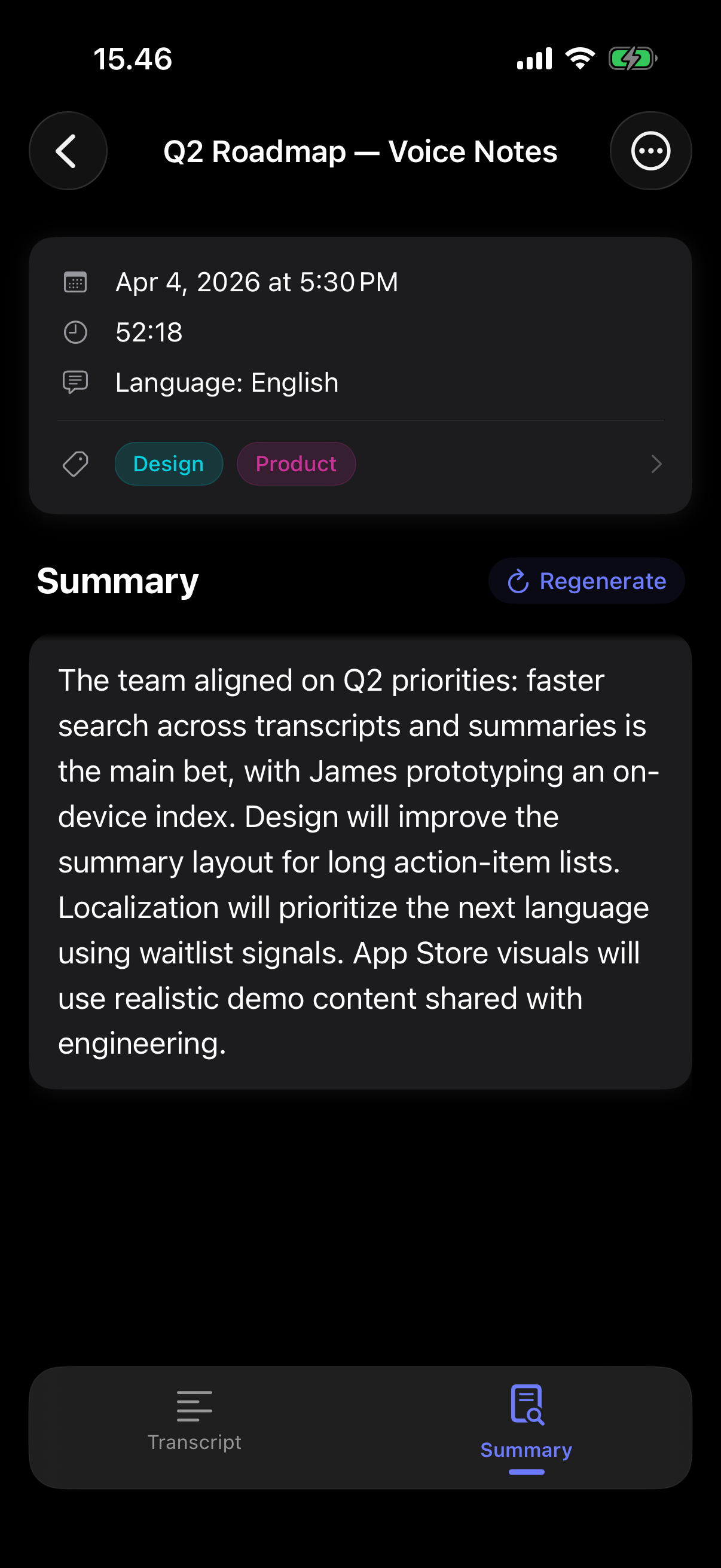
On-device AI turns transcripts into clear summaries in seconds — in the same language as your note.

🌐
Multi-Language Support

Go beyond English and Finnish: Swedish, Norwegian, and Danish are here now — with meeting-smart vocabulary hints. We’re just getting started; more languages are on the roadmap.

🔍
Search & Tags

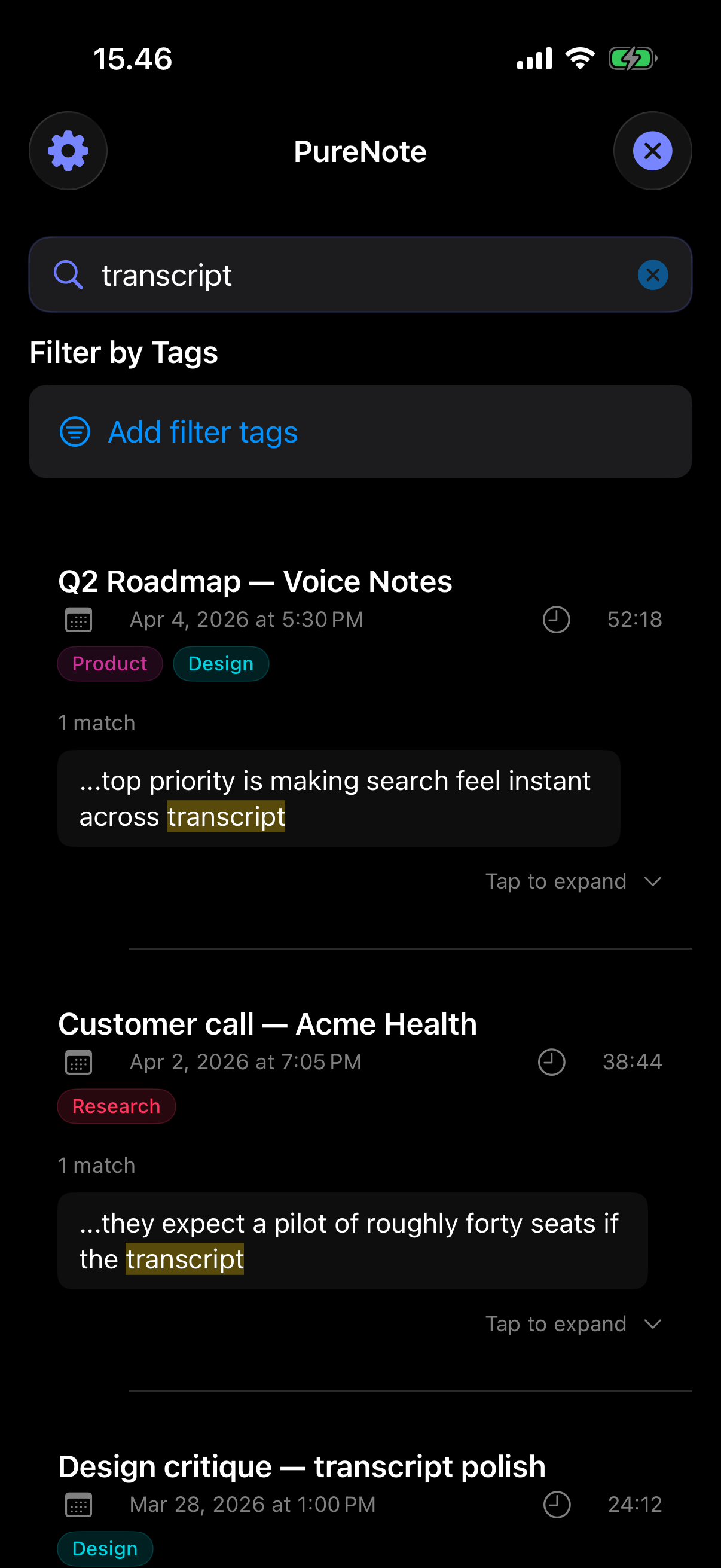
Find any note instantly with full-text search. Organise with colour-coded tags and filters.

Three taps to a perfect note

From recording to structured summary — in under a minute.

1
Tap to record

Start a note with one tap. Pick your language and recording mode.

2
Transcribed instantly

Watch your words appear in real time, timestamped and formatted — entirely on your device.

3
AI summary ready

Open the Summary tab and tap to generate an on-device AI summary in your note's language. If you used audio-first recording, a summary can start automatically once transcription finishes.

Designed to stay out of your way

Swipe through the app. A clean, focused interface so you never miss a word that matters.

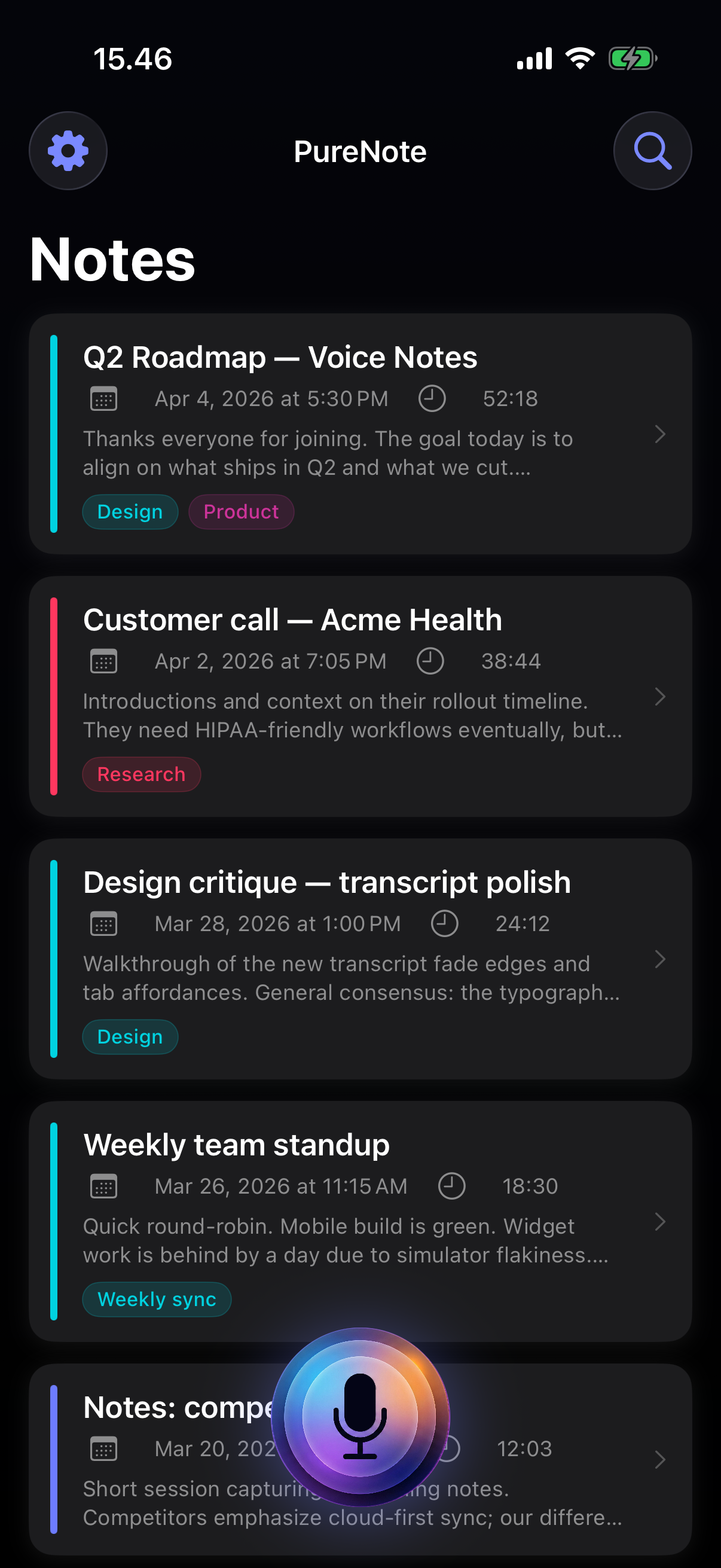
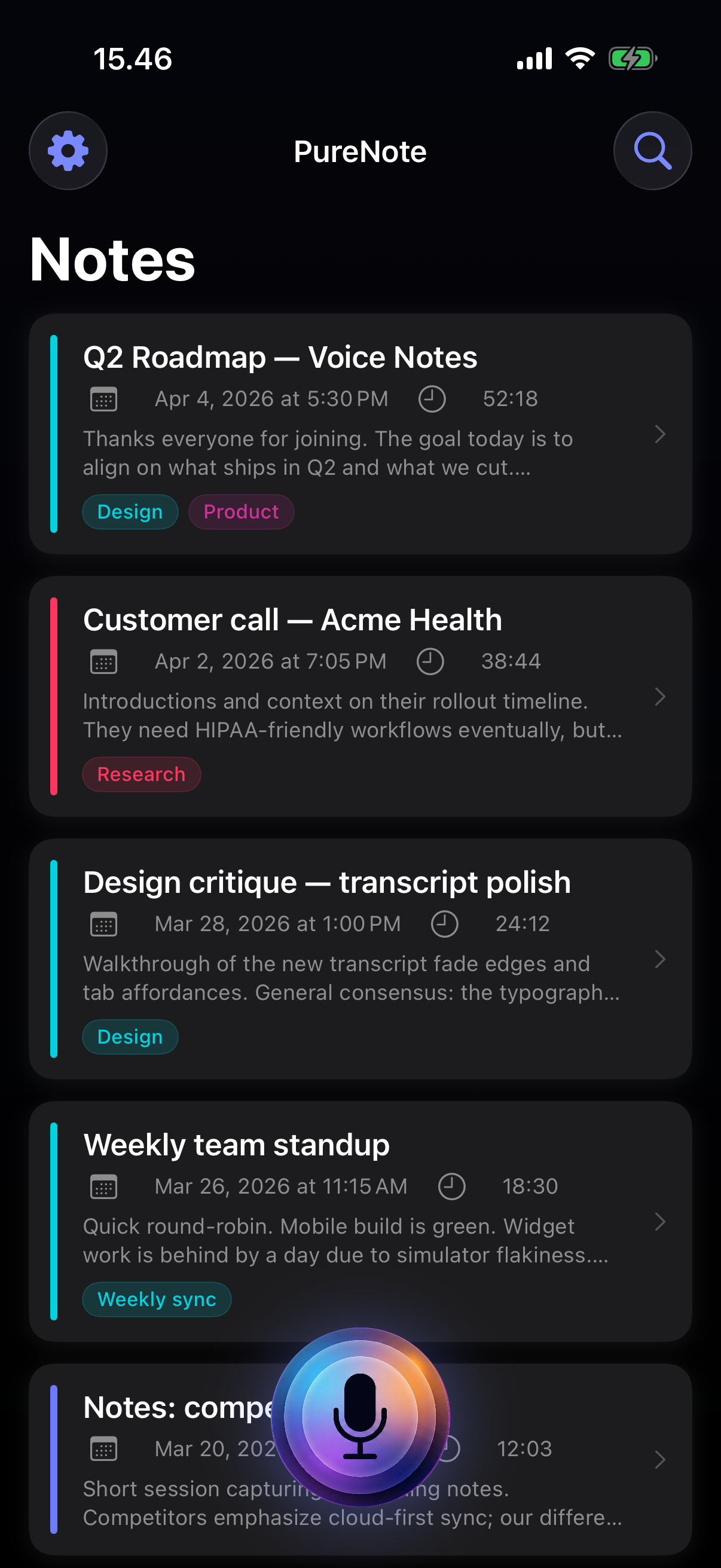
PureNote recordings list
Recordings
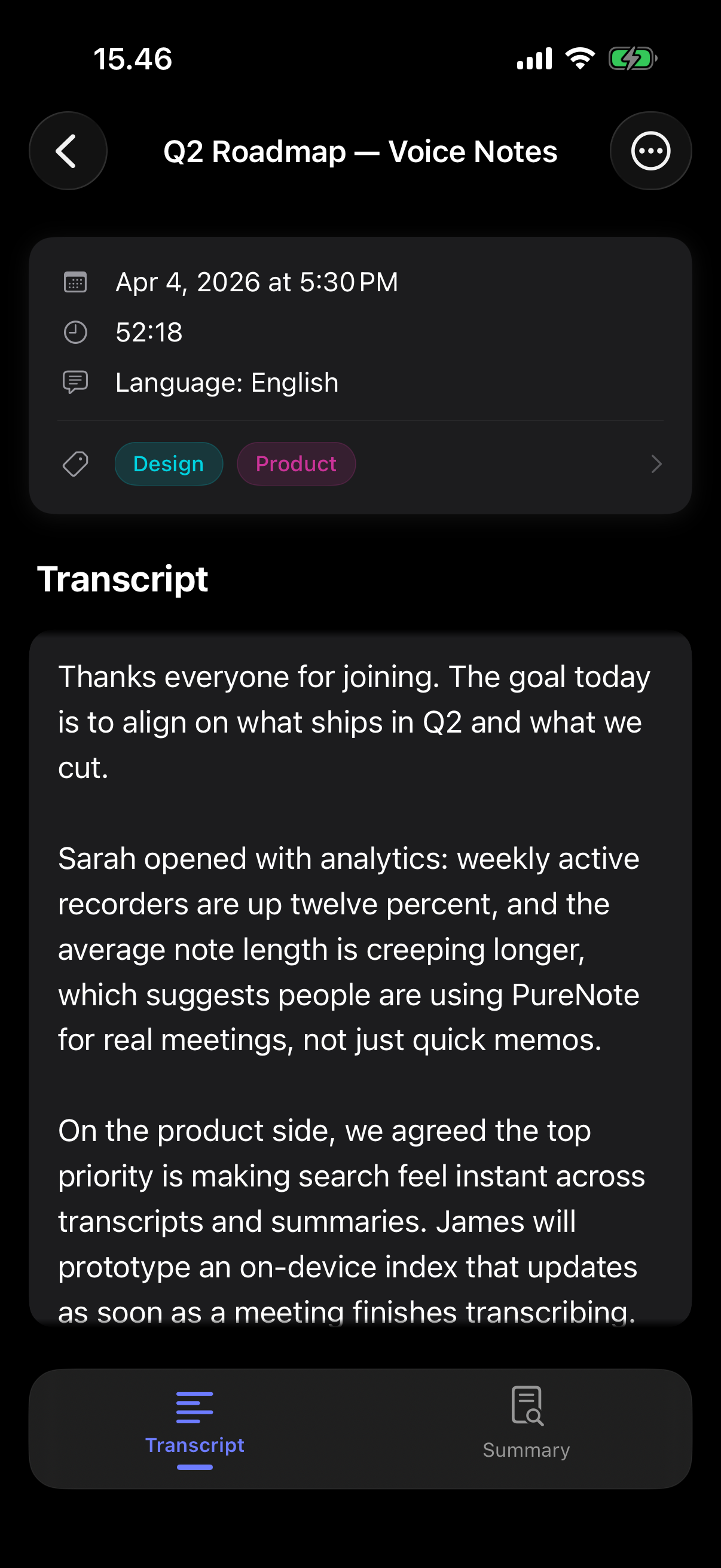
Note transcript with timestamps
Transcript
On-device AI summary of a note
AI summary
Search notes across transcripts with highlighted matches
Search

Everything stays
on your device.

PureNote processes recordings and transcripts on your device. We do not collect, transmit, or store your note content on our servers.

🔒
Stored on your device

Your recordings, transcripts, and notes never leave your device. Nothing is uploaded to our servers — not even temporarily.

Processed on your device

Transcription and AI summaries run entirely using on-device AI. No audio or text is sent to the cloud for analysis.

📤
Your data, your control

Export everything whenever you like, or delete it completely from the app. No lock-in, no strings attached.

Simple, honest pricing

Start free. Upgrade when you're ready. Cancel anytime.

7-day free trial on the yearly plan · Cancel before it ends and you won't be charged

Monthly

4.99

per month · no trial

  • Unlimited recordings
  • On-device transcription
  • AI summaries
  • Search, tags & export
Coming soon

Subscriptions are billed through Apple and renew automatically until cancelled. Prices shown are for reference; your App Store region may show local currency.

Common questions

Straight answers about privacy, languages, and subscriptions.

Is my audio or transcript sent to the cloud?

No. PureNote transcribes your voice and generates AI summaries on your iPhone or iPad. Your recordings, transcripts, and summaries are not uploaded to our servers for processing — not even temporarily.

If you choose to enable iCloud sync, copies of your data may be stored in your personal iCloud account under Apple’s terms. For crash reporting, subscription verification, and other details that are not your note content, see our Privacy Policy.

Does PureNote work without an internet connection?

Recording, on-device transcription, and on-device AI summaries do not require sending your note content over the network.

You may still need connectivity occasionally for things like confirming an App Store subscription or downloading system resources — details are in the Privacy Policy.

Which languages does PureNote support?

PureNote supports English, Finnish, Swedish, Norwegian, and Danish, with meeting-smart vocabulary hints. Summaries are written in the same language as your note. More languages are on the roadmap.

What is the difference between free and PureNote Pro?

On the free tier you can create up to 10 notes in total (a lifetime count while you are unsubscribed). Each note includes on-device transcription, and on-device AI summaries work for those notes.

PureNote Pro removes the note limit so you can keep recording without hitting the cap, with full access to everything listed on the pricing cards above. Pro is €4.99/month or €29.99/year.

How does the 7-day free trial work? How do I cancel?

The yearly plan includes a 7-day free trial for new subscribers (one trial per Apple ID). You are not charged if you cancel at least 24 hours before the trial ends; otherwise the yearly price is billed when the trial ends and the subscription renews each year until cancelled. The monthly plan has no trial. Subscriptions are billed through Apple, and prices may appear in your local App Store currency.

To cancel or change your plan, open the App Store, tap your account, then Subscriptions, and manage PureNote there. You keep access until the end of the current billing period.

Do you collect analytics or crash data?

We do not use your note content for analytics. If the app crashes or hits certain errors, diagnostic data may be sent to Sentry to help us fix bugs (for example device model, OS version, and stack traces). Your audio, transcripts, and summaries are not included.

Subscription status is verified via Apple and RevenueCat using purchase-related metadata — not your recordings or transcripts. Read the full picture in our Privacy Policy.

Can I export my notes or delete everything?

Yes. You can export your content when you want to, or delete it from the app. Your data stays under your control on your device (and in iCloud only if you have turned sync on).

Can I use my notes on another iPhone or iPad?

If you enable iCloud sync, your data can sync between your devices through your personal iCloud account, governed by Apple’s privacy policy and settings. If you do not use iCloud, your notes stay on the device where you recorded them.

How accurate is transcription?

On-device transcription works best with clear speech, a good microphone, and minimal background noise. Choosing the correct language for the note helps a lot. Very strong accents or noisy rooms can still produce mistakes — you can always edit the transcript in the app.

How do I contact support?

Email us at support@PureNote.app. For legal and data-handling details, see the Privacy Policy.